Attendance
Know who showed up before service starts.
Biometric check-in with geofenced fallback. Real-time attendance data synced across all your services and departments.
Learn moreOne platform for your entire ministry — rosters, attendance, tasks, and team performance.
Received a registration link from your department? Complete your worker registration →
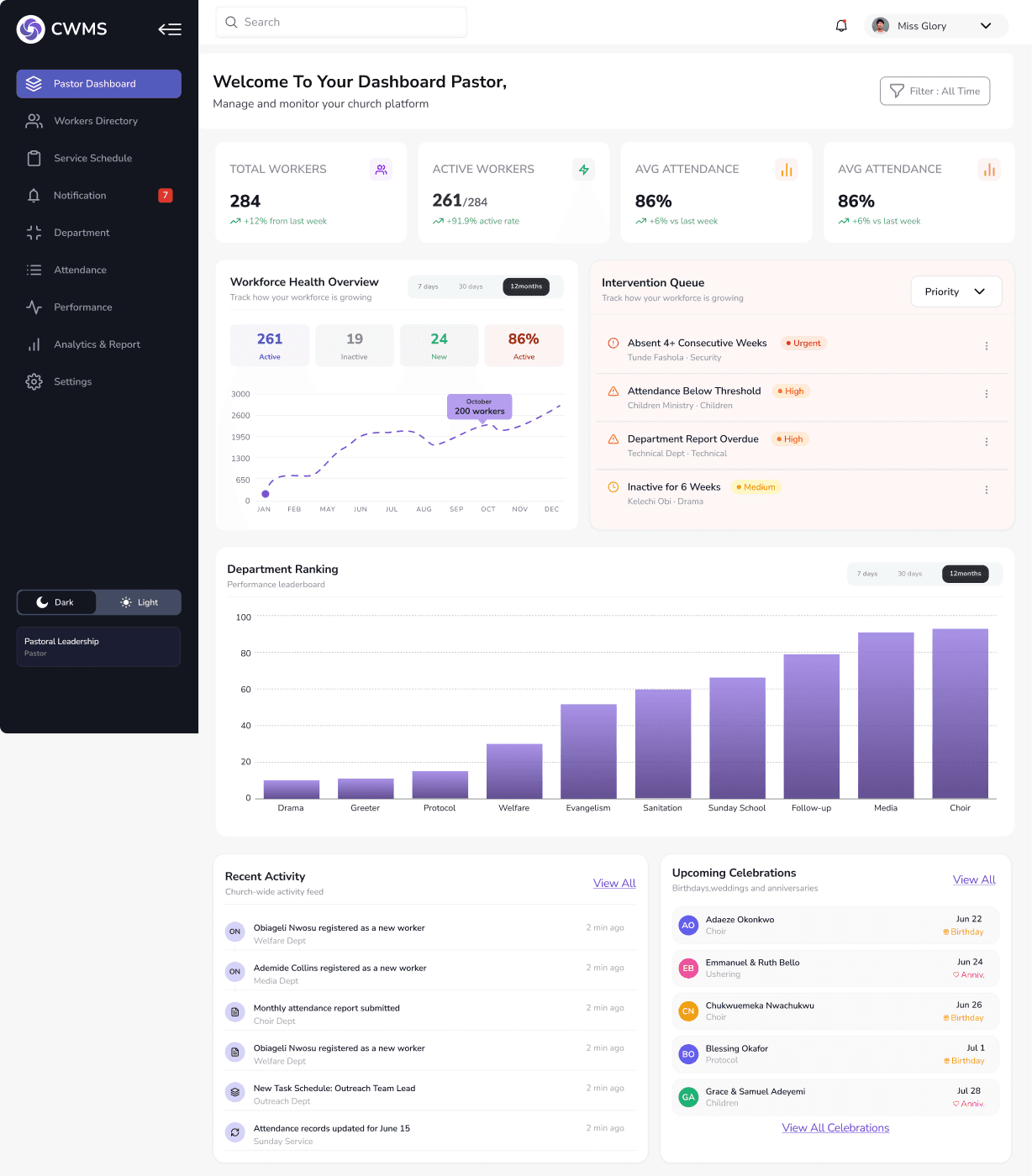
Platform Features
Scroll to explore
From Sunday morning through the week — attendance, rosters, tasks, and analytics all in one place.
Biometric check-in with geofenced fallback. Real-time attendance data synced across all your services and departments.
Learn moreCreate departments, assign heads, and track each team's readiness score. Your entire workforce visible on a single screen at all times.
Learn moreIntelligent auto-assignment builds rosters without double-bookings. Workers get notified, confirm their slot, and swaps route to the right head.
Learn moreSet tasks with deadlines and priority levels. Get automated reminders, real-time completion tracking, and accountability without the micromanagement.
Learn moreExportable reports on attendance trends, worker engagement, and department performance — so every conversation starts from the same numbers.
Learn moreRoster Builder
Intelligent roster builder eliminates double-bookings, surfaces conflicts instantly, and sends automatic confirmation requests — so every service is covered.
Duty Roster — Week of July 27
Sunday Service
Roster Published
31 workers notified · 2 pending confirmations
31
Workers Assigned
28
Confirmed
2/4
Depts Ready
How it works
Four simple steps to transform how your church operates.
Why CWMS
Real outcomes from real ministry teams.
Workers receive automatic notifications, reminders, and assignment confirmations — no more phone calls at midnight.
Department readiness tracking gives you a live dashboard view. See confirmations, pending responses, and gaps instantly.
Track attendance trends, worker engagement scores, and department performance — then act on the insights that matter.
86%
Avg Attendance
261
Active Workers
94%
Tasks Done
100%
Services Covered
“Before CWMS, our duty rosters were managed on WhatsApp and Google Sheets. Now everything is in one place. Our HODs love the confirmation system.”
“As choir HOD, coordinating 60 members across three services was exhausting. CWMS makes it effortless. The roster builder is smart and the app is beautiful.”
“We finally know our attendance numbers before Sunday ends — not three weeks later. That alone changed how we plan.”
“The follow-up workflow is the part I did not expect to love. Nobody slips through the cracks now, and the care conversations happen sooner.”
Pricing
Start free. Scale as your church grows.
$39/mo
Perfect for small churches getting organised.
$79/mo
For growing congregations running multiple services.
$149/mo
For large churches and multi-parish oversight.
FAQ
CWMS supports biometric fingerprint scanning, geofenced mobile check-in, manual HOD override, and a self-check-in kiosk mode. All methods sync in real time to your attendance dashboard, and each record states which method captured it.
Yes. Attendance, performance and department reports export to PDF and Excel, including a quarterly pack you can hand to your leadership meeting unchanged.
Workers use CWMS from their phone browser — it installs to the home screen and works offline, so a check-in made with no signal is kept on the phone and sent when the connection returns.
Nothing is deleted and nothing is charged automatically. Your parish stays on a read-only plan until you choose a tier, and your data export is always available.
Yes. Import your workers from a CSV during setup, and our onboarding walks a Church Admin through departments, services and geofence configuration in one session.